| .vscode | ||
| asset | ||
| img | ||
| src | ||
| .gitignore | ||
| .npmrc | ||
| .vscode-test.mjs | ||
| .vscodeignore | ||
| CHANGELOG.md | ||
| eslint.config.mjs | ||
| LICENSE | ||
| package.json | ||
| pnpm-lock.yaml | ||
| README.md | ||
| tsconfig.json | ||
| vsc-extension-quickstart.md | ||
| webpack.config.js | ||

SheetJS VSCode Extension






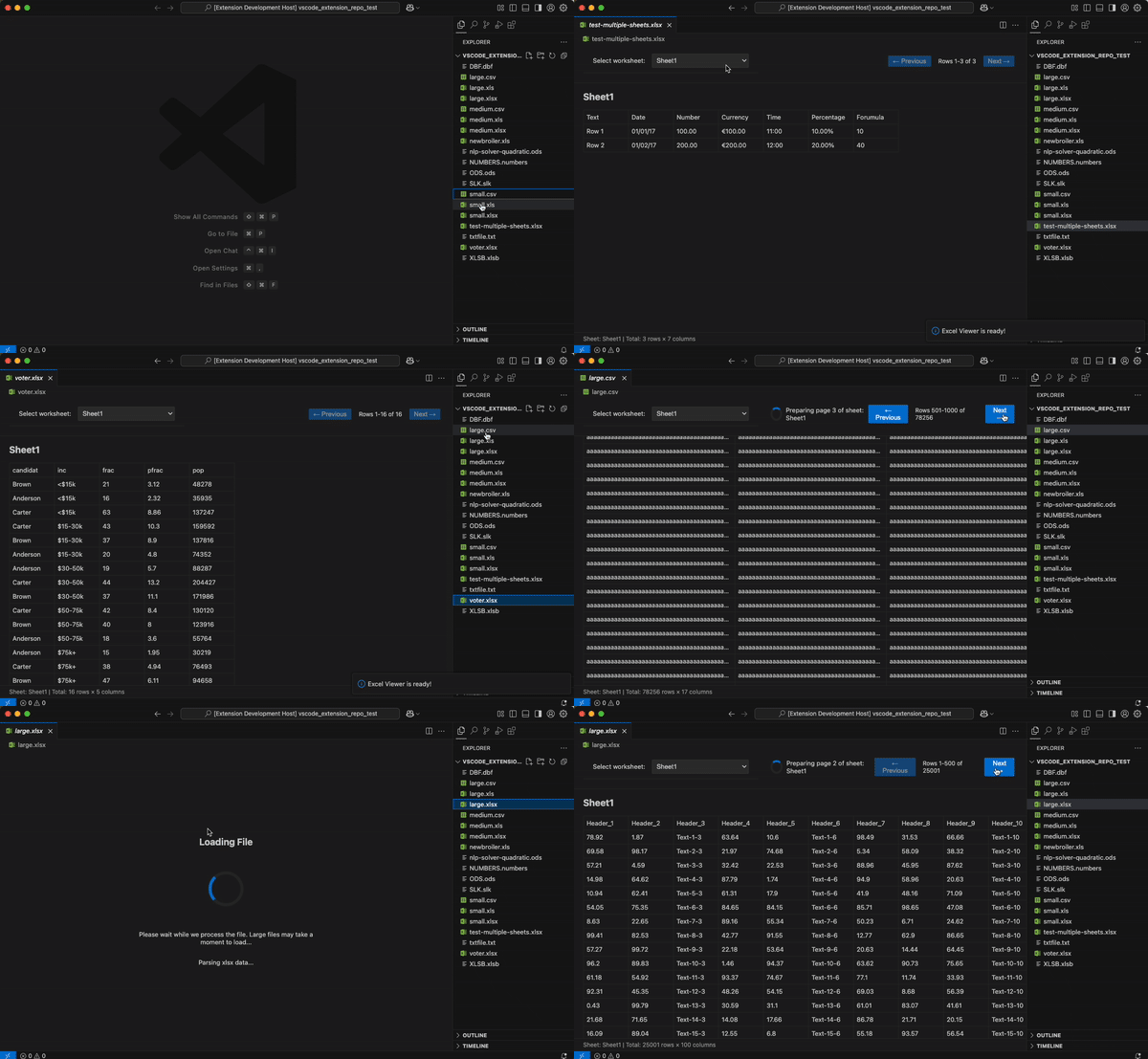
SpreadSheet Viewer
Powered by SheetJS a powerful VSCode extension that lets you view spreadsheets right in your editor. Works with XLSX, XLS, CSV, ODS and 30+ other formats.
Key Features
- Caches workbooks and sheets to avoid re-parsing files
- Loads sheets on-demand when switching between them
- Automatically reloads when files are edited externally
- Handles mega large files with pagination
- Toggle viewer on/off for specific file extensions via command palette or context menu
Supported File Formats
| Supported File Formats |
|---|
| *.xlsx |
| *.xlsm |
| *.xlsb |
| *.xls |
| *.xlw |
| *.xlr |
| *.numbers |
| *.csv |
| *.dif |
| *.slk |
| *.sylk |
| *.prn |
| *.et |
| *.ods |
| *.fods |
| *.uos |
| *.dbf |
| *.wk1 |
| *.wk3 |
| *.wks |
| *.wk2 |
| *.wk4 |
| *.123 |
| *.wq1 |
| *.wq2 |
| *.wb1 |
| *.wb2 |
| *.wb3 |
| *.qpw |
| *.xlr |
| *.eth |
Usage
Disabling/Enabling the Viewer
You can easily disable the SheetJS viewer for specific file extensions:


Command Palette (Ctrl/Cmd+Shift+P):
SheetJS: Disable Viewer for Current File Extension- Switches to default text editor for that extensionSheetJS: Enable Viewer for Current File Extension- Re-enables the viewer
Context Menu: Right-click any spreadsheet file in the Explorer to access the same commands.
Built-in VSCode: Right-click any file and select "Open With..." to choose between SheetJS Viewer and other editors.
Override Constants (Available Settings)
sheetjs.maxRows- Rows displayed per page (default: 1000)sheetjs.maxColumns- Columns displayed (default: 100)sheetjs.maxCachedWorkbooks- Workbooks kept in memory (default: 10)sheetjs.maxCachedSheets- Sheet pages cached (default: 255)
Changes take effect when opening a new spreadsheet file (existing open files need to be reopened)
Getting Started
Want to integrate SheetJS in your own VSCode extension? Check out our detailed tutorial to learn how to implement these capabilities in your projects.
Development
To run the extension in development mode, install dependencies with pnpm install and press F5 in VSCode. This opens a new Extension Development Host window where you can test the extension by opening any spreadsheet file.
Build for production with pnpm run package.
Publishing
npx vsce login foo
npx vsce publish
Learn More
For more information on using this extension and integrating SheetJS capabilities in your own projects, visit our documentation.
Created by Asadbek Karimov | contact@asadk.dev | asadk.dev